Fault evidence
Engine Fault Scan
Review available engine fault-code evidence to inform your next checks. Standard DTCs and trusted, supported enhanced Engine ECU coverage only. A code alone is not a diagnosis.
Windows diagnostic software for Giulia and Stelvio 2.2 JTD in V1. The documented reference is a 2020 Stelvio 2.2 JTD with Bosch EDC17C69; other years, ECU software and adapters need configuration review.
Engine Fault Scan reviews fault-code evidence separately from Guided Diagnostic. SmartReport uses accepted evidence from completed diagnostic runs. These are distinct capabilities, not an automatic scan-to-report sequence.
OBSERVE → VERIFY → EXPLAIN
Review available engine fault-code evidence to inform your next checks. Standard DTCs and trusted, supported enhanced Engine ECU coverage only. A code alone is not a diagnosis.
Collect supported measurements under guided operating conditions, with the context needed to review them. Available measurements depend on the vehicle, ECU, adapter and selected diagnostic group.
Keep captured samples, selected groups and quality information in local session files, so the source measurements remain available for review.
Review supported OBDVeloce JSON sessions locally. Importing a file does not by itself create an accepted, completed Guided Diagnostic run for SmartReport.
Review accepted evidence from completed diagnostic runs in a structured report you can export as a PDF. Conclusions are limited to accepted evidence. A report does not certify the vehicle’s condition.
Review vehicle and ECU context alongside the supported diagnostic scope. V1 Giulia/Stelvio 2.2 JTD scope does not confirm every configuration; compare yours with the documented reference and request review where needed.
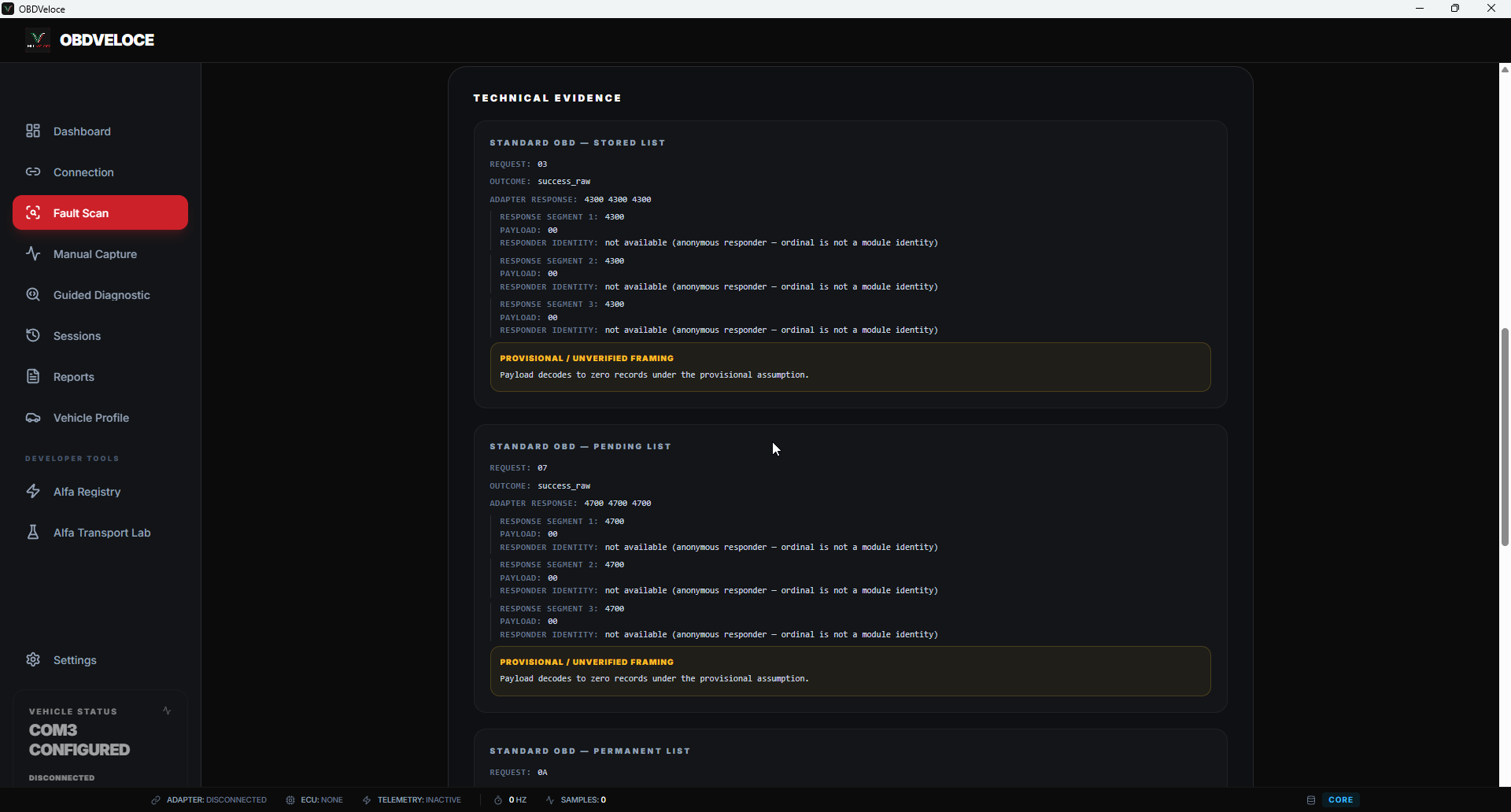
Review standard stored, pending and permanent DTCs, plus trusted, supported enhanced coverage for the Engine ECU only. Read the coverage alongside the findings: no records does not mean a healthy vehicle, and a code alone is not a diagnosis.
Core / Standard provides operating and connection context and is present in every capture. One focused Alfa group is normally selected alongside it.
Engine RPM, vehicle speed, coolant temperature and control-module voltage.
Recommended duration 30–60 seconds
Actual and desired boost pressure, intake-air quantity, boost-pressure signal and supported turbo-control positions.
Recommended duration 60–90 seconds
Fuel consumption, total and desired fuel quantity, main and pilot injection quantities where available, and injector corrections for cylinders 1 to 4.
Recommended duration 60–90 seconds
Supported high-pressure EGR opening, actual and target position, high-pressure EGR temperature and low-pressure EGR temperature.
Recommended duration 60–90 seconds
Differential pressure, particle-filter and pre-catalyser temperatures, particulate-filter clogging and distance from the last regeneration.
Recommended duration 60–90 seconds
Gas-pedal position and oil-degradation level.
Recommended duration 30–60 seconds
Core / Standard alone.
Core / Standard plus exactly one Alfa group. The recommended workflow.
Core / Standard plus two or more Alfa groups. Controlled use, not the default.
Group data provides diagnostic evidence for review. It does not produce an automatic fault verdict, and it does not describe the vehicle's complete mechanical condition.
Generic dashboards can display many values without showing whether the resulting session is diagnostically complete. OBDVeloce uses focused capture groups, visible capture quality and local session preservation, so you know what was collected and what should be repeated.
Deterministic interpretation depends on the accepted evidence, operating context and rule version. A saved session alone is not a completed diagnostic run.
Alongside the normal guided workflow, OBDVeloce provides controlled internal tools for technical research: the Alfa Registry and the Alfa Transport Lab, used for DID and signal-mapping review, adapter and protocol investigation, and parked-vehicle transport testing.
These tools are secondary to Guided Capture. They are not a public API, they do not provide unrestricted ECU access, and they perform no coding, tuning, actuator control or module programming.
Follow the launch or express interest in future validation. Registering interest does not grant software or Beta access.